
Google Earth Pro Review

Our score 9
What is Google Earth Pro?
A Powerful Tool for Exploring the World: Google Earth Pro
As someone who enjoys exploring different locations and studying geographic information, I had the opportunity to test out a remarkable software recently. This software offers a unique and immersive experience, allowing users to navigate the Earth's terrain with ease, visualize geographical data, and gain valuable insights. I was truly impressed with the capabilities and features of this GIS software, which I believe sets it apart from its competitors. Let me share my experience and thoughts on this exceptional application.
Intuitive Interface and Seamless Navigation
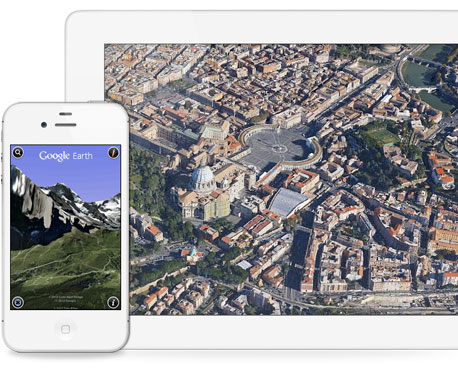
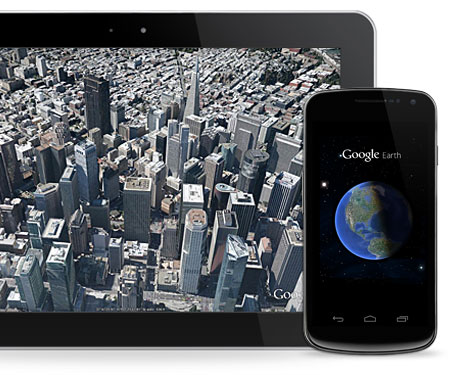
The moment I launched Google Earth Pro, I was immediately drawn to its clean and user-friendly interface. Navigating through the software was a breeze, thanks to the smooth and responsive controls. Whether zooming in to street level or zooming out to view the entire globe, the software effortlessly delivered accurate and detailed imagery. The ability to tilt and rotate the view provided a more realistic perspective, making my exploration feel more immersive and captivating.
Diverse Range of Geographic Data
This GIS software truly stood out with its vast collection of geographic data. With just a few clicks, I was able to access a wealth of information including satellite imagery, aerial photography, and topographic maps. The sheer amount of data available was astounding, and I appreciated the ability to seamlessly toggle between different layers to get a comprehensive understanding of any given location. The software also provided additional data such as demographic information, geological features, and even historical imagery. This comprehensive approach made my exploration not only visually stunning but also highly informative.
Seamless Integration and Collaboration
Collaboration is made easy with Google Earth Pro. The software allows users to import and export various file formats, such as KML and KMZ, facilitating data sharing and analysis with other users. I appreciated the ability to create and save custom maps and routes, making it convenient to revisit specific locations or share findings with colleagues and friends. The integrated measurement tools were also a great asset, allowing me to accurately measure distances, areas, and even heights. Overall, the software's seamless integration and collaboration features contributed to a more efficient and productive workflow.
Key Features of Google Earth Pro:
- Intuitive and user-friendly interface
- High-quality and detailed imagery
- Ability to tilt and rotate view for a more immersive experience
- Diverse range of geographic data including satellite imagery, aerial photography, and topographic maps
- Additional data layers including demographics, geological features, and historical imagery
- Seamless integration and collaboration with import and export options
- Ability to create and save custom maps and routes
- Integrated measurement tools for accurate measurements
Frequently Asked Questions (FAQ):
Q: Is Google Earth Pro accessible on multiple devices?
A: Yes, Google Earth Pro is available on both desktop and mobile devices, allowing users to explore the world from anywhere.
Q: Can I use my own geographic data with Google Earth Pro?
A: Absolutely! Google Earth Pro supports various file formats, allowing users to import and work with their own custom geographic data.
Q: Is Google Earth Pro free to use?
A: While Google Earth Pro offers a paid subscription, there is also a free version available to users.
To sum it up, Google Earth Pro is an exceptional GIS software that provides a powerful and immersive experience for exploring the world. Its intuitive interface, high-quality imagery, vast range of geographic data, and seamless integration make it a valuable tool for professionals and enthusiasts alike. Whether you're a geographer, urban planner, or simply someone who enjoys discovering new places, this software is definitely worth trying out.
Overview of Google Earth Pro
Overview of Google Earth Pro Features
- Spatial Analysis
- 2D and 3D Data Visualization
- Reporting
- Map Creation
- Geographic Data Capture and Management
- Real-Time Streaming
- Geocoding
- Moviemaker
- Buffer Zone Query
- Overlaying
- Data Publishing
Gallery
Videos
Other products Google



















































































Popular Google Earth Pro Alternatives










Report a problem Claim this Profile
Add New Comment