
C++Builder Review

What is C++Builder?
Review:
After extensively testing the software, I must say that it truly exceeded my expectations. The C++Builder is a powerful Integrated Development Environment (IDE) that caters specifically to C/C++ programming. It is a robust tool that offers a wide range of features, making it an excellent choice for developers looking to build high-quality applications.
Intuitive and User-Friendly Interface
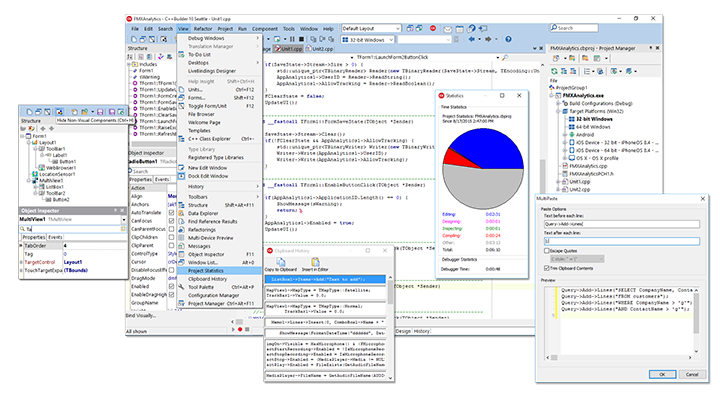
The interface of C++Builder is well-designed and user-friendly. It provides a seamless development experience, allowing programmers to navigate through the various functionalities effortlessly. The clean and organized layout enhances productivity and eliminates distractions, enabling users to focus solely on their coding tasks.
Efficient Code Editing
This IDE offers a powerful code editor with syntax highlighting and auto-completion features. The code editor accurately identifies syntax errors and suggests possible solutions, making the coding process more efficient. It also offers a multitude of useful shortcuts and code snippets, allowing developers to write code faster and with fewer errors.
Advanced Debugging Capabilities
C++Builder provides comprehensive debugging tools that simplify the process of identifying and fixing bugs in code. The integrated debugger allows users to step through the code line by line, set breakpoints, and inspect variables in real-time. This greatly aids in troubleshooting and ensures the software runs smoothly, enhancing overall application quality.
Extensive Library and Component Support
One of the standout features of C++Builder is its extensive library and component support. The IDE comes pre-packaged with a wide range of libraries and components that developers can readily utilize, saving time and effort. From UI controls to database connectivity components, C++Builder has it all, further enhancing the development process.
Seamless Integration with Version Control Systems
Seamless integration with popular version control systems makes source code management and collaboration a breeze. With the ability to easily synchronize and track code changes, developers can work seamlessly in teams, ensuring efficient workflow and reducing the chances of conflicts.
Key Features:
- Intuitive and user-friendly interface
- Efficient code editing with syntax highlighting and auto-completion
- Advanced debugging capabilities
- Extensive library and component support
- Seamless integration with version control systems
FAQ:
- Is C++Builder suitable for beginners in C/C++ programming?
- Does C++Builder support multi-platform development?
- Can I customize the IDE to suit my specific preferences?
- Does C++Builder provide any documentation or tutorials?
While C++Builder offers a user-friendly interface, it is primarily designed for developers with some experience in C/C++ programming. Beginners might find it overwhelming due to its extensive features and complexity.
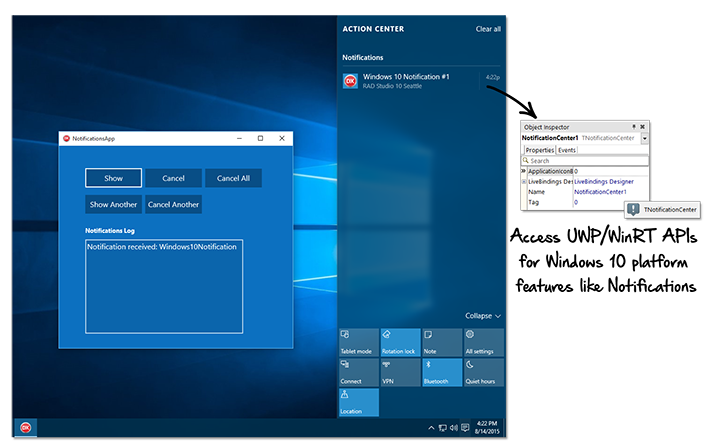
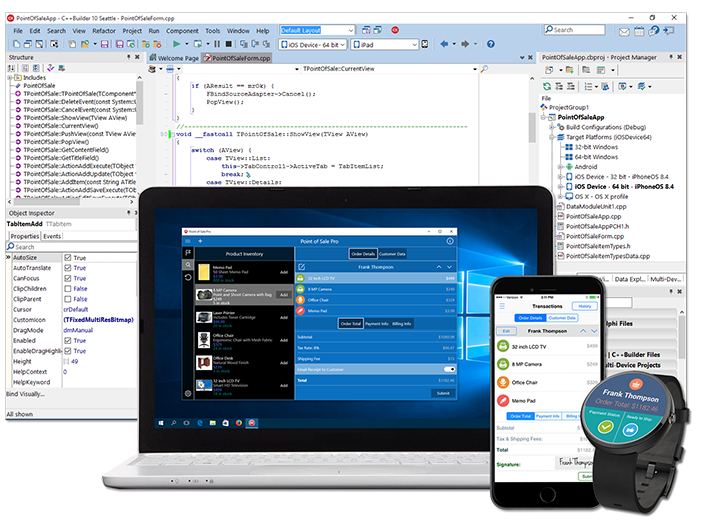
Yes, C++Builder supports multi-platform development. It allows developers to build applications for various operating systems, including Windows, macOS, iOS, and Android.
Absolutely! C++Builder offers extensive customization options, allowing users to personalize the IDE according to their preferences. From color themes to keyboard shortcuts, you have full control over the IDE's appearance and functionality.
Yes, C++Builder provides comprehensive documentation and tutorials to assist developers in getting started and mastering the IDE. The documentation covers various topics, including installation, usage guidelines, and advanced features.
Overview of C++Builder
Gallery


Popular C++Builder Alternatives








Report a problem Claim this Profile
Add New Comment