
BitRecover MBOX to PST Converter Software Review

What is BitRecover MBOX to PST Converter Software?
A professional utility to convert MBOX files from 30+ email clients into Outlook PST format with complete mailbox data and folder structure.
Who Is It For?
-
IT administrators & migration experts
-
Businesses switching to Microsoft Outlook
-
Individual users moving from Thunderbird, Apple Mail, etc.
-
Forensic & backup professionals
What the Tool Does
-
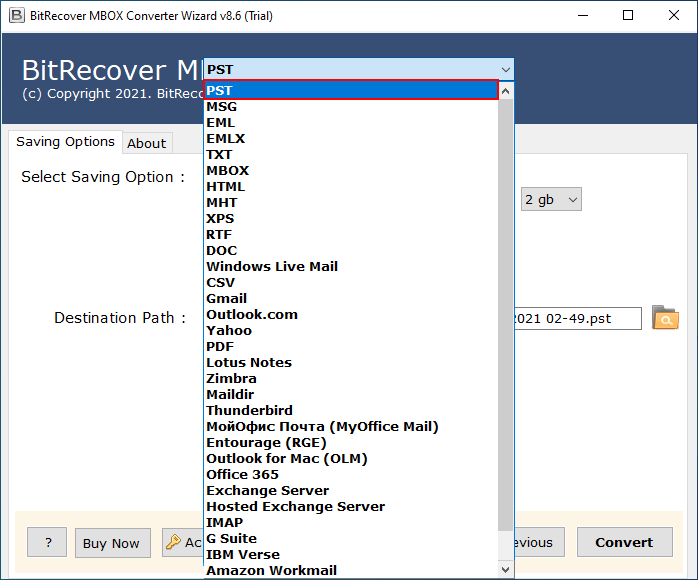
Converts MBOX to PST (ANSI & UNICODE)
-
Preserves emails, attachments, metadata, and folder hierarchy
-
Supports bulk MBOX conversion
-
Works without installing the source email client
Key Features
-
Supports 30+ MBOX-based email clients (Thunderbird, Apple Mail, Eudora, etc.)
-
Batch conversion of multiple MBOX files
-
Maintains email properties (To, CC, BCC, Date, Subject, Attachments)
-
Creates PST compatible with all major Outlook versions
-
Selective folder export option
-
Advanced filters for date-based migration
-
Generates separate PST per MBOX (optional)
-
Simple Windows-based interface
Supported Systems & Formats
-
Input Format: MBOX
-
Output Format: PST
-
Devices/OS: Windows 11, 10, 8.1, 8, 7
-
Outlook Support: Outlook 2021, 2019, 2016, 2013, 2010 & earlier versions
Free Trial Limitation
The free demo version converts a limited number of emails per MBOX folder to evaluate performance and output accuracy.
Pros
✔ Easy-to-use interface
✔ No data loss during conversion
✔ Bulk processing saves time
✔ Compatible with all major Outlook editions
✔ Maintains original folder structure
Cons
✖ Windows-only application
✖ Full export requires licensed version
Awards & Recognition
-
Recognized by tech reviewers for secure email migration
-
Widely recommended for enterprise-level MBOX to Outlook transitions
-
Trusted by IT consultants and data recovery professionals
FAQs
Q1. Can I convert multiple MBOX files at once?
Yes, the tool supports batch conversion of unlimited MBOX files in a single process.
Q2. Does it require Thunderbird or other email clients installed?
No, the software works independently without needing the original email client.
Q3. Will attachments and email formatting remain intact?
Yes, attachments, metadata, and formatting are preserved during conversion.
Q4. Is the PST file compatible with all Outlook versions?
Yes, it creates PST files compatible with both older and latest Outlook editions.
User Reviews
⭐ “Smooth and accurate conversion. We migrated 200+ mailboxes without data mismatch.” – IT Manager
⭐ “Very straightforward interface. Even non-technical users can operate it easily.” – Business Consultant
⭐ “Reliable tool for large-scale email migration projects. Worth the investment.” – System Administrator
Overview of BitRecover MBOX to PST Converter Software
Overview of BitRecover MBOX to PST Converter Software Features
- Bulk MBOX file conversion
- Maintains folder hierarchy
- Preserves email metadata
- Supports all Outlook versions
- ANSI & Unicode PST export
- Selective folder migration
- Date-based email filtering
- Standalone Windows utility
- Separate PST creation option
- Handles large MBOX files
- Attachment integrity maintained
- Simple graphical interface
- No email client required
- Fast processing engine
- Secure data migration
Pricing Plans Update date : 2026-02-13
12977
1 Year
Add New Comment