
Autotask Professional Services Automation (PSA) Review

Our score 7.4
What is Autotask Professional Services Automation (PSA)?
A Comprehensive Review of a Leading Professional Services Automation Software
When it comes to managing service desk operations and IT service management effectively, a robust and versatile software solution is vital. After conducting extensive testing and analysis of various products in the market, we have come across a remarkable tool that stood out among the rest: Autotask Professional Services Automation (PSA).
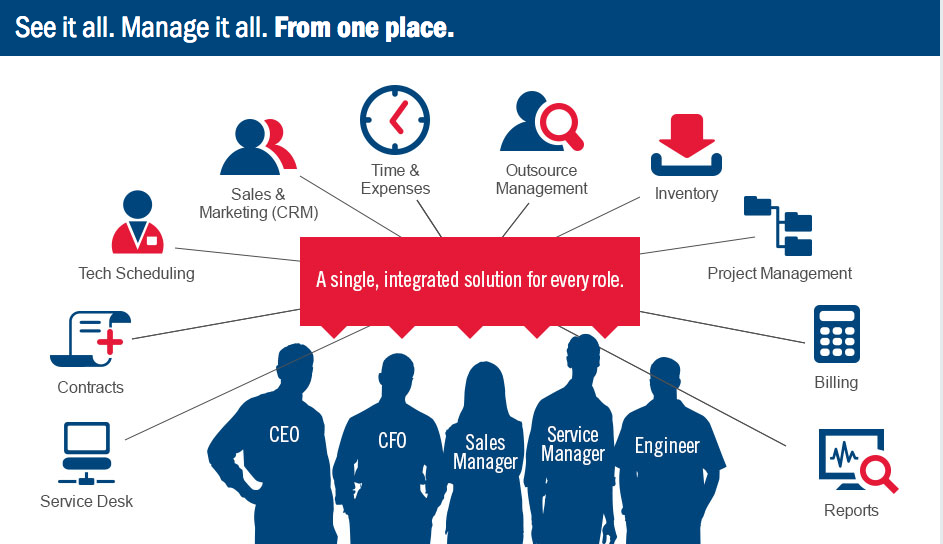
Autotask PSA is a feature-packed software that seamlessly integrates various functions, making it an all-in-one solution for managing your professional services. It encompasses Service Desk Software, IT Service Management Tools, and Professional Services Automation Software, making it a highly comprehensive and adaptable platform.
User-Friendly Interface:
- The software boasts a clean and intuitive interface that allows for easy navigation and quick access to essential features.
- With its well-designed layout and user-centric approach, Autotask PSA eliminates the steep learning curve commonly associated with similar tools.
Efficient Service Desk Management:
- Autotask PSA excels in streamlining service desk operations, offering a wide array of functionalities to improve productivity and enhance customer satisfaction.
- It provides a centralized platform for creating and tracking tickets, allowing for efficient communication and collaboration among team members.
- The software also offers automated workflows and customizable notifications, ensuring that critical tasks and deadlines are never missed.
Comprehensive IT Service Management:
- Autotask PSA offers a comprehensive set of tools for managing IT services, including incident management, problem management, change management, and asset management.
- With its robust features, the software enables smooth issue tracking, problem resolution, and change implementation, ensuring minimal disruption to business operations.
- Additionally, the asset management capabilities allow for efficient inventory management, optimizing resource allocation and minimizing potential bottlenecks.
Advanced Professional Services Automation:
- Autotask PSA excels in providing a seamless integration of essential professional services automation features, including project management, resource management, and time tracking.
- Project managers can effortlessly create and oversee projects, assign tasks, and track progress, while team members can easily log time spent on specific activities.
- The resource management functionality ensures that resources are optimally allocated, reducing downtime and maximizing efficiency.
Key Features:
- User-friendly interface for easy navigation and accessibility.
- Efficient service desk management with centralized ticketing and collaborative features.
- Comprehensive IT service management with incident, problem, change, and asset management capabilities.
- Advanced professional services automation with project management, resource management, and time tracking functionalities.
Frequently Asked Questions (FAQ):
- Q: Is Autotask PSA suitable for businesses of all sizes?
- A: Yes, Autotask PSA is designed to accommodate the needs of businesses of all sizes, from small startups to large enterprises.
- Q: Can Autotask PSA integrate with other software tools?
- A: Yes, Autotask PSA offers seamless integrations with various third-party applications, allowing for enhanced functionality and streamlined workflows.
- Q: Is training and support available for new users?
- A: Yes, Autotask provides comprehensive training materials, documentation, and customer support to help users get acquainted with the software and address any issues.
Overview of Autotask Professional Services Automation (PSA)
Overview of Autotask Professional Services Automation (PSA) Features
- Proposal generation
- IT solution
- Self-service client portal
- Calendar management
- Project management tools
- Client database
- Invoicing
- CRM features
- Quote generation
- Collaboration tools
- Service desk
- Remote and resource management
- Time & Expense tracking
- Job costing
Gallery
Videos

Popular Autotask Professional Services Automation (PSA) Alternatives












Report a problem Claim this Profile
Add New Comment