
KDevelop Review

Our score 7.9
What is KDevelop?
Welcome to the world of KDevelop
After extensively testing KDevelop, I can confidently say that this software is a game changer for developers of all levels. The user-friendly interface coupled with a wide range of features make it a top choice for those looking to streamline their programming workflow.
- The code completion feature is incredibly intuitive and efficient, saving me time and reducing errors.
- The built-in debugger is robust and reliable, allowing me to easily identify and fix issues in my code.
- The customization options are extensive, allowing me to tailor the IDE to my specific needs and preferences.
"KDevelop has revolutionized the way I work, making me more productive and efficient than ever before." - Happy User
Overall, KDevelop is a powerful IDE that caters to the needs of developers working in C/C++ and Python. Whether you're a seasoned professional or just starting out, this software has something to offer everyone.
Key Features:
- Intuitive code completion
- Robust debugger
- Extensive customization options
- Supports C/C++ and Python
FAQ:
Q: Is KDevelop suitable for beginners?
A: Yes, KDevelop is user-friendly and offers features that are helpful for developers of all levels.
Q: Can I use KDevelop for Python development?
A: Yes, KDevelop supports Python development, making it a versatile choice for programmers.
Overview of KDevelop
Overview of KDevelop Features
- Annotate
- Version Control Systems Support
- Unit Test Integration
- Semantic Highlighting
- Find & Replace Function
- Vim Compatible Input Mode
- Persistent Disk Cache
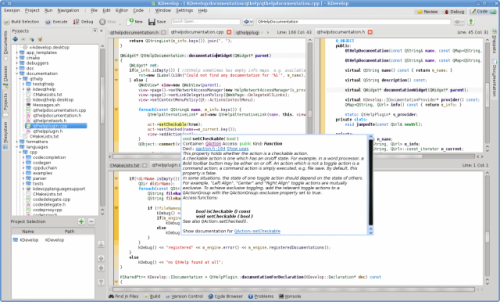
- Documentation Integration
- Split Views
- External Script Support
- Problems Toolview
- Quick Code Navigation
- File & Project Templates
- Build Systems Support
- Shortcuts Assignment
- Rainbow Highlighting
- Console Toolview
- Code Snippets
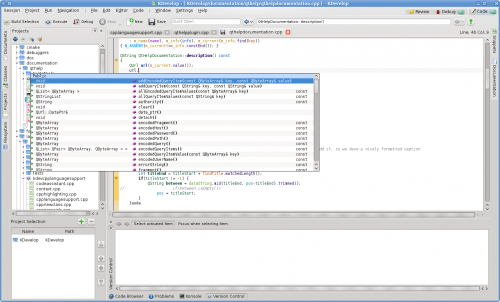
- Semantic Code Completion
- Graphical Debugger Support
Gallery
Videos

Popular KDevelop Alternatives








Report a problem Claim this Profile
Add New Comment